
REVIEW · GUIDED
Namibia Self-Driving Audio Guide (in English & German)
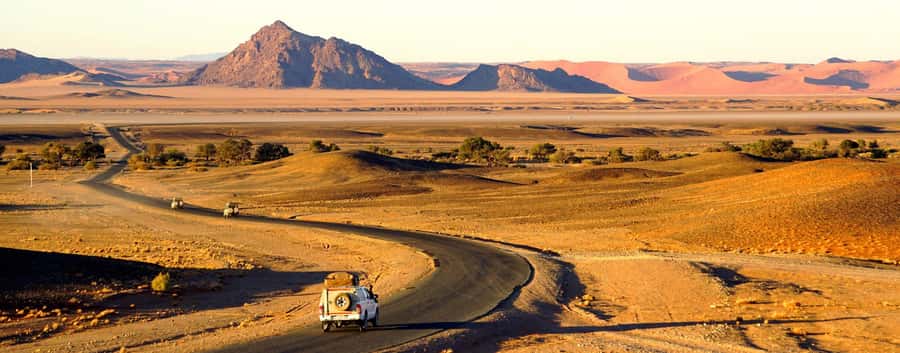
Namibia feels bigger when it talks. This self-driving audio guide adds GPS-guided context so you can play the right stop as you pass it, and hear it through your rental car speakers. One thing to watch: the experience depends on your phone, so protect battery life and make sure the guide download is completed without interruptions.
I like that the guide is built for real road trips, not for sitting in a hotel. You get about 10 hours of content across 225 audio files, and you can run single tracks from the map or let it autoplay while you drive. Explanations are also described as clear and not boring, which matters when you have hours of driving ahead.
There’s no fixed starting point or ending point, so you can shape your own route. Just remember this is a self-guided experience, so you will still handle your own driving, stops, and timing, and it does not include entry fees or parking.
In This Review
- Key things to know before you hit the road
- A self-driving Namibia trip that still feels guided
- Price and value: where the math gets interesting
- Setup that matters: download smoothly and keep your phone ready
- How GPS playback keeps you from losing the moment
- Etosha, wildlife listening, and why pacing beats rushing
- Windhoek and Swakopmund: culture and history you can take as slow as you drive
- Kaokoland to Fish River Canyon: one guide, two very different moods
- Fish River Canyon: making long drives feel less like transit
- The practical car setup: sharing audio without turning it into a gadget show
- Who should book this audio guide, and who should not
- Should you book this Namibia self-driving audio guide?
- FAQ
- Is there a fixed starting point for this Namibia audio guide?
- What languages are available in the app?
- Can I use the guide with more than one person in the same car?
- What does the price include?
- What is not included in the experience?
- How long is the audio guide valid after I purchase it?
Key things to know before you hit the road
- GPS map playback: pick audio by location instead of guessing what you are looking at
- Autoplay or tap-to-play: switch between hands-on control and background listening
- English and German in one app: you can switch languages as you go
- Car radio listening: connect your phone so everyone in the vehicle can hear
- Full-country coverage: from Kaokoland in the north down to Fish River Canyon in the south, plus major stops like Etosha, Windhoek, and Swakopmund
- Guide-style explanations on the go: nature, wildlife, history, and culture background to keep the drive interesting
Other departures where a guide does the driving


A self-driving Namibia trip that still feels guided
Namibia is the kind of place where your best moments are often unplanned. A great view can happen at a random pull-off, a herd of animals can appear when you thought you’d be bored between towns, and a settlement can look small until you learn the story behind it. That is exactly what this audio guide is trying to fix.
Instead of a classic tour format, you get a phone-based guide that matches what you see. The audio is organized so you can choose specific tracks on the map or listen through an automatic mode while driving. The goal is simple: keep your eyes on the road and your mind on Namibia.
I especially like the idea that it is designed to be shared inside the car. You connect your phone to the rental car radio, and everyone can listen. That turns the usual solo-audio experience into something more like a road trip with companions, even if you are not traveling with a human guide.
Price and value: where the math gets interesting
The price is listed as $29 per person, but the important detail is how the voucher works. Your voucher code is valid for one smartphone, meaning the content license is tied to that device. The good news is that you can still listen as a group because you can route the audio through the car speakers.
So your real value depends on your setup:
- If you are traveling as a couple or a small group, the cost per person can feel much lower because everyone listens through the same audio source.
- If you are traveling alone in your own vehicle, it is more like a straightforward $29 buy, since you cannot stack multiple smartphone vouchers into one car without extra purchases.
Another value point is the sheer amount of audio. Around 10 hours with 225 audio files means you are not just getting a few highlights. You should be able to fill multiple driving days with explanations that keep you curious rather than just entertained.
Setup that matters: download smoothly and keep your phone ready
This is not a “start anytime without prep” kind of product. After booking, you receive a separate email with instructions to install the app and activate the guide. It also says you may receive an email after a few minutes with download instructions. That means you should plan to do the setup before your first long drive.
Here are the practical realities you should plan for:
- Bring a charged smartphone (and ideally a power plan for the car, if your setup allows it).
- Make sure you can complete the download without interruption. One review specifically warns to be careful that the download is not interrupted, and that support exists if something goes wrong.
- Expect that Namibia can have stretches where connectivity is not ideal. Even if the app can play your downloaded audio, the download step is the part you can control.
Also, note that you can ignore the GetYourGuide-app notice, because the provider uses its own audioguide setup. You will still want to follow the email instructions carefully and check your spam folder, just so you do not miss the activation steps.
- Windhoek: City and Township Tour
★ 4.8 · 430 reviews - Half-Day Windhoek City and Township Cultural Tour
★ 4.5 · 187 reviews - Windhoek: Bushman Walk with the San
★ 4.9 · 145 reviews - 6-Day Dunes and Wildlife Accommodated Safari from Windhoek
★ 5.0 · 123 reviews - Windhoek City Tour
★ 5.0 · 113 reviews
How GPS playback keeps you from losing the moment
A common frustration with phone audio in remote places is that it becomes another thing to operate. You stop driving, fumble with menus, and your attention breaks just when it should be focused on the view.
This guide is built to reduce that problem with a location-first approach:
- You can listen to audio files via a map or via a list of files.
- You can play single audios when you want them, then switch back to the road without overthinking.
- You can also let information play automatically during your ride.
That autoplay option is not just a convenience. It is a way to keep the drive from turning into a cycle of “stop, read, start again.” When it works well, you get a steady rhythm of seeing plus learning, and you stay in the driving mode.
One review notes that automatic information worked well, and another highlights that users could always see where they were and get the corresponding information as they liked. That is the behavior you want: GPS that helps you confirm you are actually listening to the right spot.
Etosha, wildlife listening, and why pacing beats rushing
The guide includes audio for major areas, and Etosha National Park is one of the headline names. What matters here is not a scripted itinerary. You are not being told where to stop and how long to stay at each viewpoint.
Instead, the guide adds background on nature and wildlife as you drive through the area. That helps you read what you are seeing, even if your plan is flexible. If you are doing long stretches between stops, the audio can keep you engaged while you wait for moments to happen.
My practical advice for Etosha type drives is pacing:
- Use the audio while moving so you are not stuck in the “when are we going to see something” mood.
- Use single-track playback when you pull over and want the most relevant story for that exact location.
- If you prefer to go quiet sometimes, switch off autoplay and just play what you care about at the stop.
This kind of tool is especially useful in places where wildlife sightings are never guaranteed on a schedule. You still get context, so the drive remains meaningful even when animals are far away.
Windhoek and Swakopmund: culture and history you can take as slow as you drive
Namibia is not only about wildlife and big distances. You also want the human side: stories of place, culture, and history. This guide is designed to cover those topics across the country, and it explicitly calls out Windhoek and Swakopmund as key stops.
Because it is self-guided, you control the tone:
- If you are passing through quickly, you can keep the audio on autoplay to get background without stopping.
- If you have time to wander on foot in a town area, you can use the map to select audio that matches where you are.
I also like that the audio is described as informative and neutral. That matters in a country where many visitors come in with strong assumptions. Neutral, clear explanations help you stay open, and that makes your street-level observations better.
For Windhoek and Swakopmund, the best strategy is to treat the audio as a “lens,” not a lecture. Listen while driving between stops, then use your eyes while you are walking and let what you hear guide what you notice.
Kaokoland to Fish River Canyon: one guide, two very different moods
The audio guide is said to cover Namibia from Kaokoland in the north all the way to Fish River Canyon in the south. That is a huge geographic spread, and the value is that you are not buying separate guides for separate legs.
What changes across that arc is the mood of the scenery and the kind of questions you naturally have:
- In the north, you might care more about how the land and people connect, and what makes the region distinct.
- In the south, you might want explanations that help you appreciate scale, geology, and the way the environment shapes daily life.
The guide includes background on nature, wildlife, history, and culture for those parts of Namibia. Since you can start wherever you want with no fixed meeting point, you can match the audio to your actual route.
In plain terms, this is useful if you are flying in and out of different cities, doing a loop, or following a route that changes as you learn what you want to see. The guide stays relevant because it is not locked to one beginning-to-end order.
Fish River Canyon: making long drives feel less like transit
When a trip includes Fish River Canyon, it is often because you want the “wow” factor of a major natural feature. The audio guide does not replace your need to see it with your own eyes, but it can make the travel time feel purposeful.
Here is how to use it without turning it into background noise:
- Listen to the most relevant track as you approach, then pause autoplay when you stop for views.
- Play a single audio file when you are standing still, so you can focus on what the story is doing to your perspective.
- If you are tired, use autoplay for continuity, then switch to single-track only when you have the energy to really listen.
The goal is to avoid the classic road-trip problem where driving becomes the main event. With a good audio guide, the scenery becomes the main event again, and the explanations enhance it.
The practical car setup: sharing audio without turning it into a gadget show
The included setup is straightforward on paper: connect your phone to the car radio, and everyone inside can listen. This sounds simple, but on a remote road trip, small setup details can make or break your experience.
So I suggest you plan for a smooth first test:
- Before you leave a parking area, connect your phone to the car audio and confirm volume levels are comfortable.
- Check that you can switch languages if you need to, because the guide supports both English and German.
- Get familiar with how to select audios from the map versus the list, so you do not have to learn that on a tough driving stretch.
Once it is working, it keeps the trip calm. You are not reading constantly, and you are not stopping for every fact.
Also remember the guide is valid for your phone voucher, not per person. If you have multiple devices in your group, you will likely want just one smartphone running the app, then you share via car speakers. That matches the design described in the included details.
Who should book this audio guide, and who should not
This guide is a strong fit if you want:
- Freedom to start wherever you want, since there is no fixed starting point or end.
- A road-trip style experience, with your phone acting as your guide instead of a person in the passenger seat.
- Flexibility to play audio automatically during driving, or switch to manual playback at stops.
- Coverage across Namibia’s major regions, including Etosha, Windhoek, Swakopmund, Kaokoland, and Fish River Canyon.
It might not be the best fit if:
- You do not want to rely on your phone for the core experience.
- You are planning to prioritize walking tours and need detailed, turn-by-turn guidance on the ground, because this is still a self-driving audio guide.
- Your trip depends heavily on entry fees included, since the guide does not include any entry fees or parking fees.
Should you book this Namibia self-driving audio guide?
If your dream is Namibia by car, with the radio doing the explaining, I think this is a very reasonable buy. The value comes from three places: GPS-linked listening, around 10 hours of content across 225 audio files, and the fact you can share it through the car speakers.
The biggest decision point is your willingness to do the phone setup right. If you are comfortable downloading and keeping your phone charged, this kind of guide can turn hours of driving into something you actually look forward to.
My final recommendation: book it if you want a flexible Namibia trip where learning happens on your schedule, not someone else’s. Skip it if you expect the experience to include transport, entry tickets, or a hands-on human guide.
FAQ
Is there a fixed starting point for this Namibia audio guide?
No. This is a self-guided tour, so there is no fixed starting point or end. You can start your self-driving trip with the audioguide wherever you want.
What languages are available in the app?
The audioguide app is available in English and German, and you can switch between the two.
Can I use the guide with more than one person in the same car?
The voucher code is valid for one smartphone. However, you can connect your phone to the car radio so everyone inside can listen through the car speakers.
What does the price include?
You get the audioguide app (English or German) and GPS-enabled access to audio files. The cost also covers using the guide with your smartphone connected to the car radio.
What is not included in the experience?
Transportation, entry fees, and parking fees are not included.
How long is the audio guide valid after I purchase it?
The guide is valid for 365 days, and the audio guide itself is described as valid forever after the purchase.
Guided Days, More Choices
- 10-Day Namibia Highlights Guided Tour from Windhoek★ 5.0 · 78 reviews
- Private Guided Walking Tour with the San in Windhoek★ 5.0 · 20 reviews
- 3 Days Amazing Red Dunes of Sossusvlei | Private Guided Tour★ 5.0 · 10 reviews
- From Windhoek: Budget Sossusvlei Guided 2-Day Tour★ 4.9 · 9 reviews
- 6 Day Private Guided Accommodated Namibian Loop★ 5.0 · 6 reviews
More Namibia Reviews
- Windhoek: City and Township Tour★ 4.8 · 430 reviews
- Half-Day Windhoek City and Township Cultural Tour★ 4.5 · 187 reviews
- Windhoek: Bushman Walk with the San★ 4.9 · 145 reviews
- 6-Day Dunes and Wildlife Accommodated Safari from Windhoek★ 5.0 · 123 reviews
- Windhoek City Tour★ 5.0 · 113 reviews
Other Namibia trips from our own write-ups


Guided, all of them.
 ★ 5.0Sandwich Harbour 4×4 guided tours.Join us for an awe inspiring adventure.From $143154 reviews
 ★ 5.010-Day Namibia Highlights Guided Tour from WindhoekFrom $3,11178 reviews
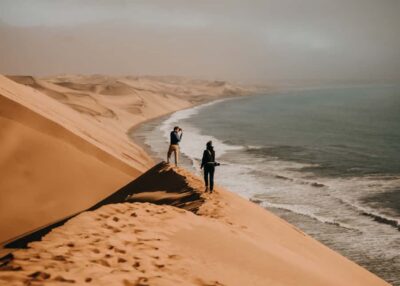 ★ 4.9Sandwich Harbour 4×4 Guided TourFrom $18055 reviews
 ★ 5.0Sandwich Harbour- Guided Self-Drive Tour from Walvis BayFrom $37345 reviews
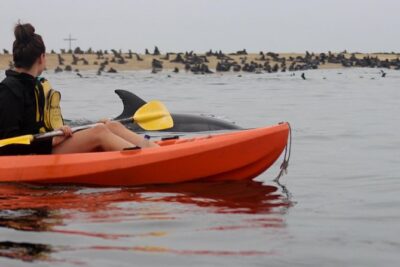 ★ 5.0Kayaking and Sandwich Habour Guided Day Tour from Walvis BayFrom $27639 reviews
 ★ 5.0Exhilarating Sandwich Harbour 4×4: Guided Self drive experienceFrom $17335 reviews
 ★ 5.0Private Guided Walking Tour with the San in WindhoekFrom $3820 reviews
 ★ 5.0Sandwich Harbour 4×4 Private Guided Tour – Your very own private tour!From $28916 reviews